Visual debugger for Scala objects in IntelliJ
I use a visual debugger for Scala objects while developing games in Scala. Instead of inspecting runtime values only as strings and field trees, selected objects can provide custom 2D or 3D views directly in the debugger. This can make some classes of problems easier to inspect than with a traditional object tree alone.
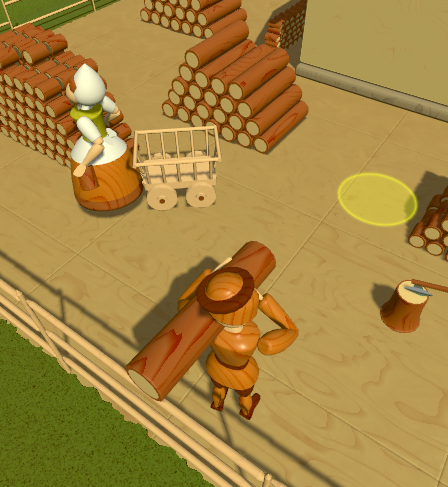
Why I built it
The tool was built for geometry-heavy code. In that kind of code, the important information is often spatial rather than textual.
Examples include:
- meshes
- paths
- boxes
- transforms
Seeing these values directly as shapes can be faster than reading coordinates and nested fields.
How it works
The current version is integrated into my closed-source project and uses a custom IntelliJ plugin.
The plugin looks for a method similar to toString, but instead of returning plain text,
it returns a rich 2D or 3D debug representation.
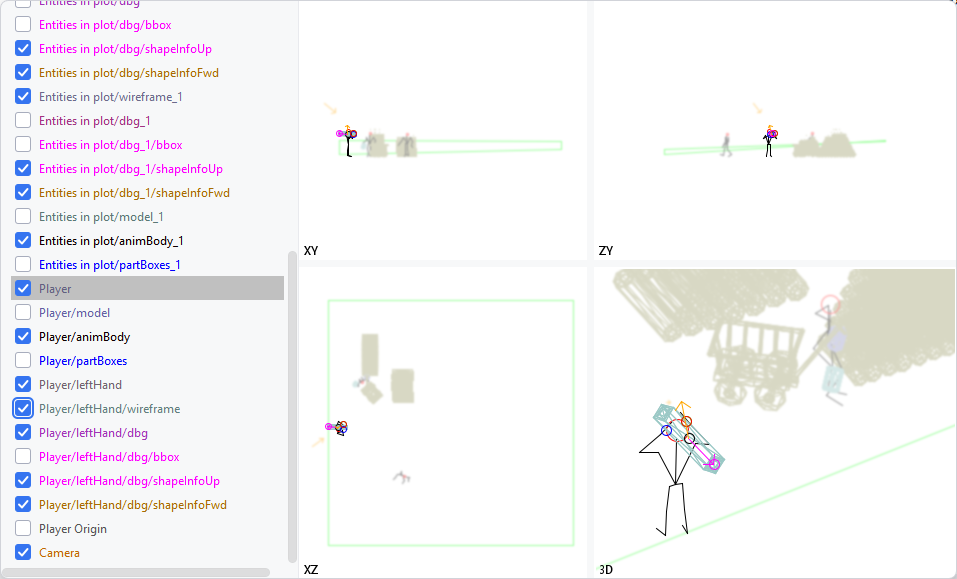
When your application is paused at a breakpoint, you can see your variables not only as text.
You can see a visual representation for any value that has a debug method, which is expected to return
either a 3D representation or a 2D BufferedImage.
The debug method can look like this (composition possibilities demonstrated):
trait Character {
  def debug = {
    Visualize3D.Node(
      Visualize3D.Arrow(Vector3f.zero, torso.forward.copy(y = 0)) named "forward",
      animBody.debug named "animBody"
    )
  }
}
You can also provide debug information for types outside your control, such as third-party libraries or built-in types
by adding a global method named debugTypeName where TypeName is the name of the type.
Supported views
Depending on the object being inspected, this can be used to display:
- points
- lines
- boxes
- paths
- transformed objects
- grouped structures
Different parts of the object can be annotated or colored.
Why this is useful
Traditional debugger views are excellent for primitive values, collections, and object structure. They are less convenient when the meaning of the data depends mainly on shape, position, direction, or spatial relationships.
When you see vectors as numbers, it is hard to be sure of their spatial relations. In the 3D debug view, it is immediately visible if a point is in front or behind the player, or how a vector is oriented.
Current scope and future work
The system was created for my own project, but the same approach can also apply to other structured runtime data such as graphs, layouts, and trees.
It should be possible to create a protocol connecting any JVM application with a debugger for which a plugin is created. In particular, I think creating a VS Code plugin should be possible. With some effort, a standard format describing a 3D scene could be defined so that any JVM application adhering to it could provide the expected data.
Please direct any comments or questions to this Scala Users Discourse post